
What is being done?
My space has been refreshed, and “attwifi” has disappeared. What happened?
“attwifi” is no longer broadcast in refreshed spaces. The SSID “Purdue Guest” replaces “attwifi” and works similarly.
 .
.
When will my residence be refreshed?
What can I do to help this process?
When your building refresh is coming up, ensure the area around your wireless access point is clear so installers can easily access and replace it. The current wireless access point will be a white rectangular box that says “Cisco”. Again, not all rooms will have wireless access points in them.

Who will be coming into my room? When?
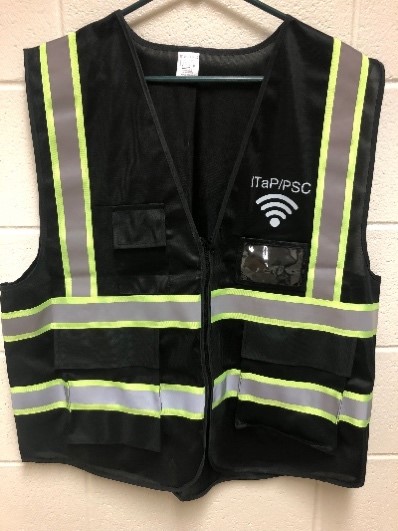
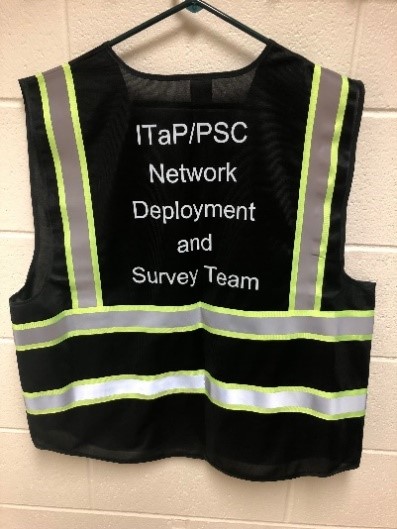
The install team will consist of a Purdue Access Assistant and a technical installer. Each member will be wearing ID badges with their photo and name, as well as a vest as shown below. Installation dates will be listed on the rollout web page. Unfortunately, we cannot provide an exact install time, but we anticipate between 9am and 6pm. If we are unable to complete an access point refresh due to room conditions, or inability to access hardware, University Residences will reach out to arrange a new install time. After install, a card will be left indicating the installation was completed.
Will I need to find other Wi-Fi sources while my area is being refreshed?
What can I expect after the upgrade?
With this AP refresh, will I have to buy new equipment to get onto Wi-Fi?
I’m having issues connecting to the wireless, what should I do?
- ResNet support can be reached at 765-494-2200 or at resnet@purdue.edu.
- While steps for individual devices vary, some steps applicable to most devices include the following:
- Ensure the wireless is enabled on your device.
- Run the secureW2 installer bellow.
- If you can connect to Purdue Guest but not PAL or Eduroam, it may imply an issue with your username and/or password or it could be a limitation of the device being used.
- Generally speaking, “home” devices cannot connect to PAL/Eduroam, things like speakers, printers, game consoles, etc.
SecureW2 Installers:
Eduroam: https://cloud.securew2.com/public/62946/wl-prd-eduroam/
PAL 3.0: https://cloud.securew2.com/public/62946/wl-prd-PAL3.0/