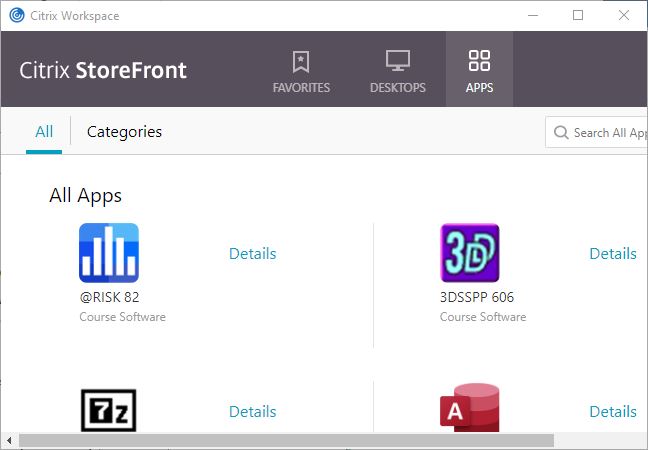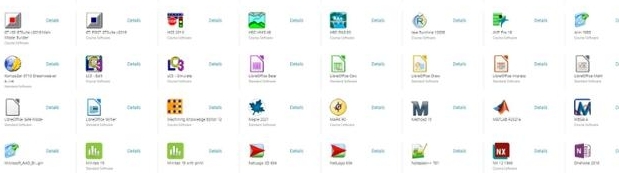
Software Remote Light Version
PLEASE NOTE that starting Summer 2026 Purdue University will start the transition from Citrix Software Remote (Citrix) to Apps Anywhere as its primary platform for remote access to Purdue‑licensed software for students, faculty and staff at the West Lafayette, Indianapolis, Purdue Fort Wayne and Purdue Northwest campus locations. The transition supports the university’s ongoing efforts to modernize technology infrastructure while improving reliability and managing costs.
Apps Anywhere is a web‑based solution that allows users to access licensed software without requiring VPN connectivity. The platform is designed to deliver faster performance, improved stability and greater accessibility across a range of devices. The move reinforces Purdue’s commitment to providing secure, streamlined and user‑friendly technology services for its academic community.
Implementation timeline
The transition will occur in phased stages throughout the spring and summer:
- April–May: Infrastructure setup
- May–June: Application configuration, validation and faculty testing
- July: Deployment planning and campus communications
- August 10: Target go‑live date for Apps Anywhere
- August 31: Citrix Software Remote decommissioned
The schedule aligns with the academic calendar. The Summer term concludes Aug. 7, and the Fall semester begins Aug. 24.
Faculty engagement
Teaching faculty are encouraged to begin testing Apps Anywhere prior to the conclusion of the summer term. Early testing and feedback will help identify and resolve potential issues and contribute to a smooth transition ahead of the Fall semester. Feedback should be sent via email to it@purdue.edu
Further testing instructions and support resources will be shared with campus in the coming weeks.
Additional information about Apps Anywhere, including platform details and support documentation, is available through Purdue’s IT Knowledge Base at:
https://service.purdue.edu/TDClient/32/Purdue/KB/ArticleDet?ID=1805
This version of Software Remote may be used if you are having trouble running the Citrix Workspace application.
- Visit https://goremote.itap.purdue.edu.
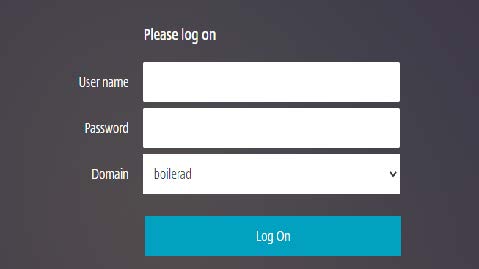
- Enter your career account credentials for the User Name and Password. (No Duo)
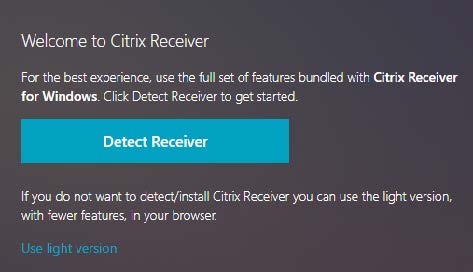
- Click the Use Light Version link found below the Detect Receiver button.
- After the application loads, select Apps at the top and then select the software you would like to use.